Release Note
November 2025 Release Notes
Stance Integrations & Fraud Defense Enhancements
Unified Connection and Multiple Account Support
- A single account connection now activates all Stance security services for the specific account, including the Fraud Defense and the Security Posture Analyzer services.
- Account connection setup is now quicker and simpler, requiring just one click to start connecting Microsoft 365 or Google Workspace accounts.
- Support for multiple account connections of any type has been added.
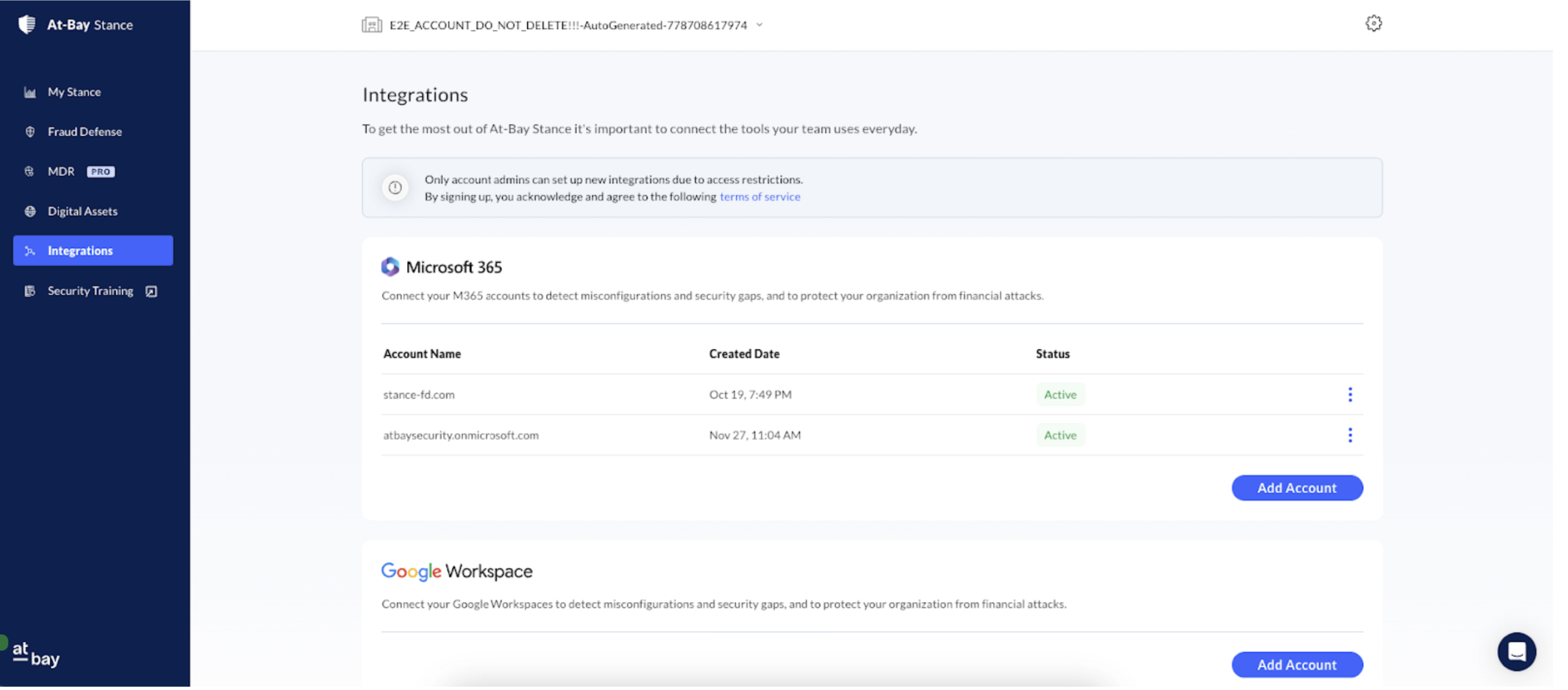
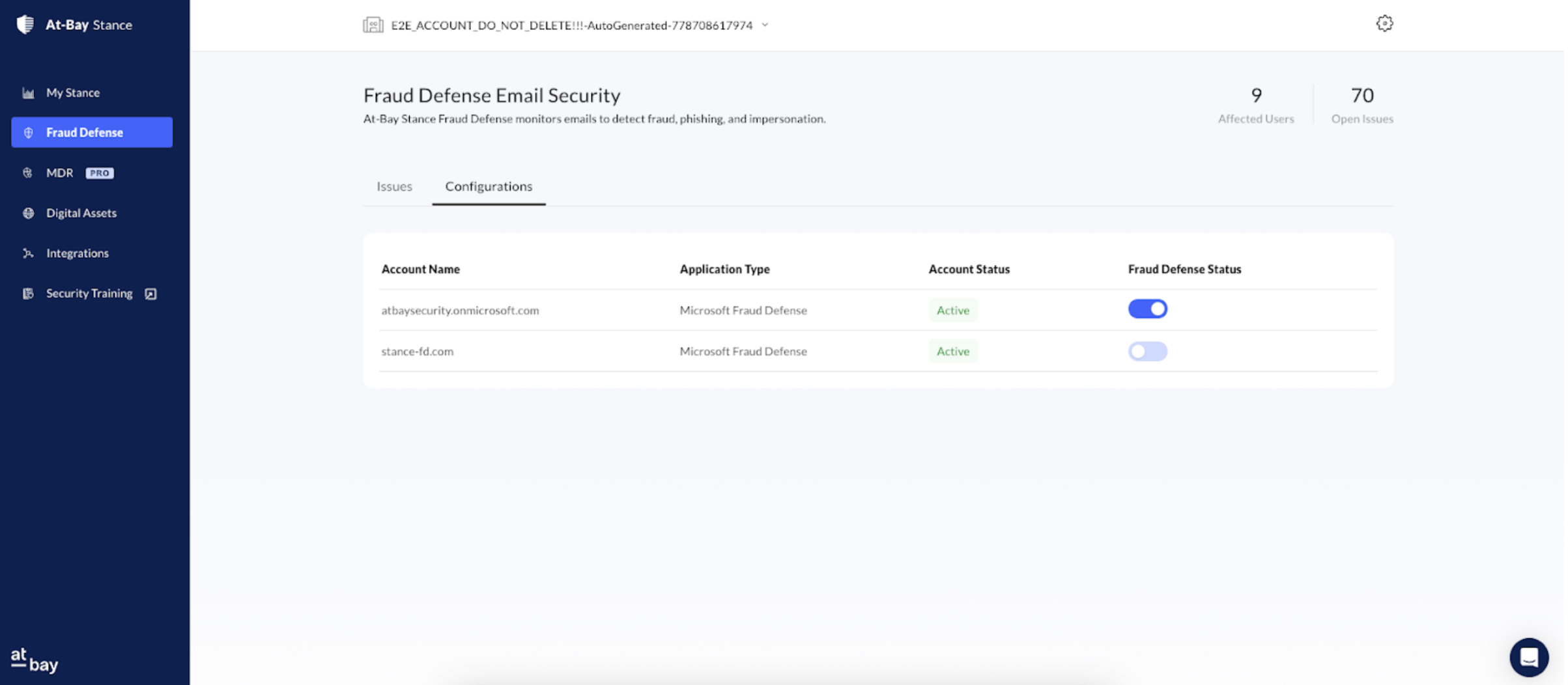
- After connecting, users can optionally disable the Fraud Defense service per account.
Improved Connection Visibility
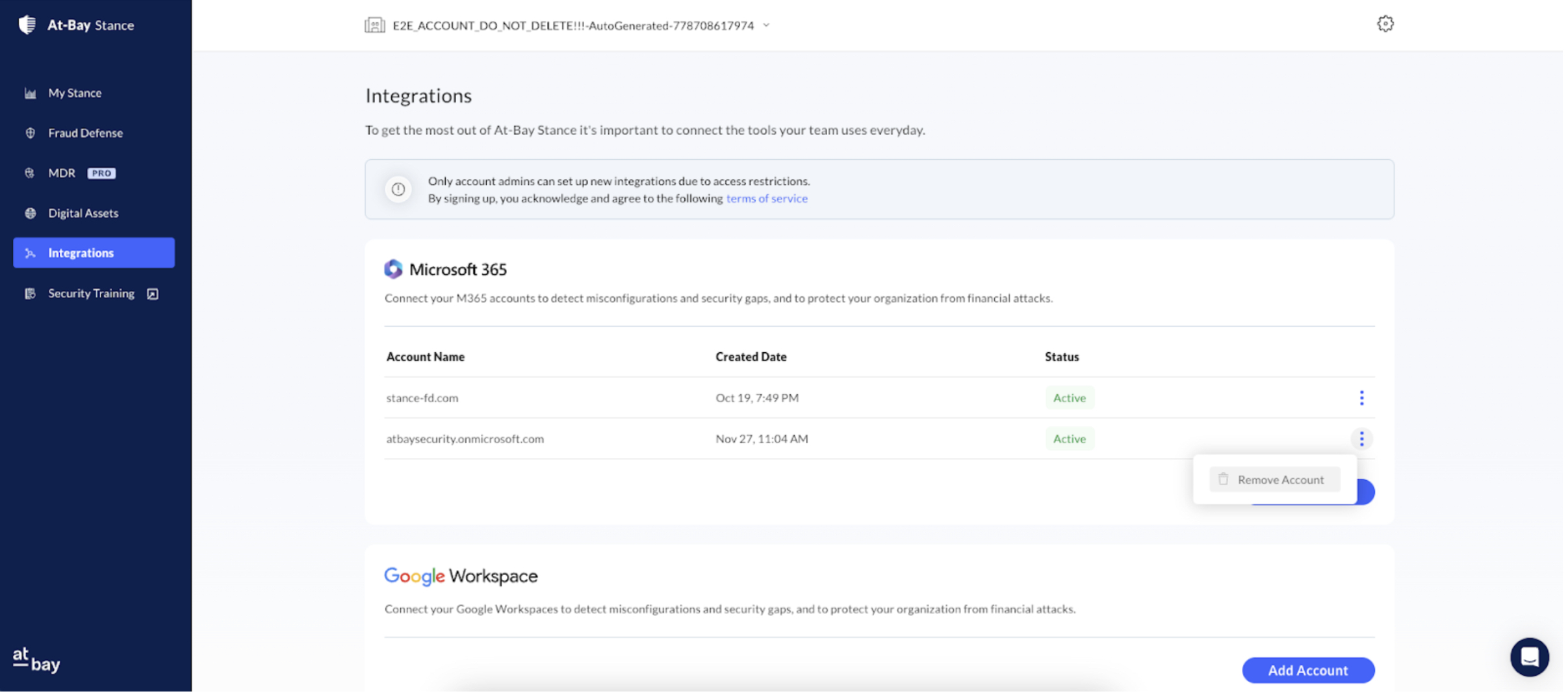
- The Integration page now displays clear connection statuses: Active or Error (Connection Lost).
- Users can easily Reconnect accounts with an Error status.
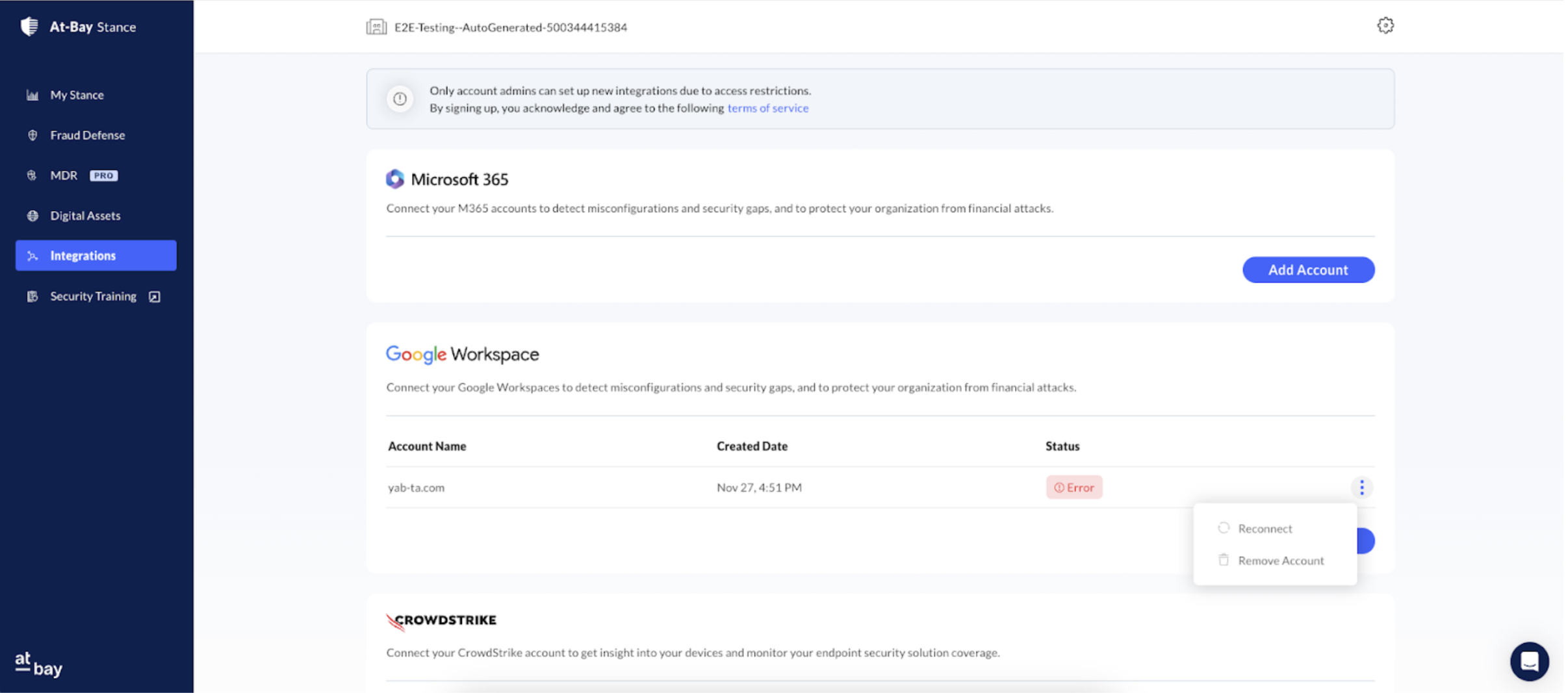
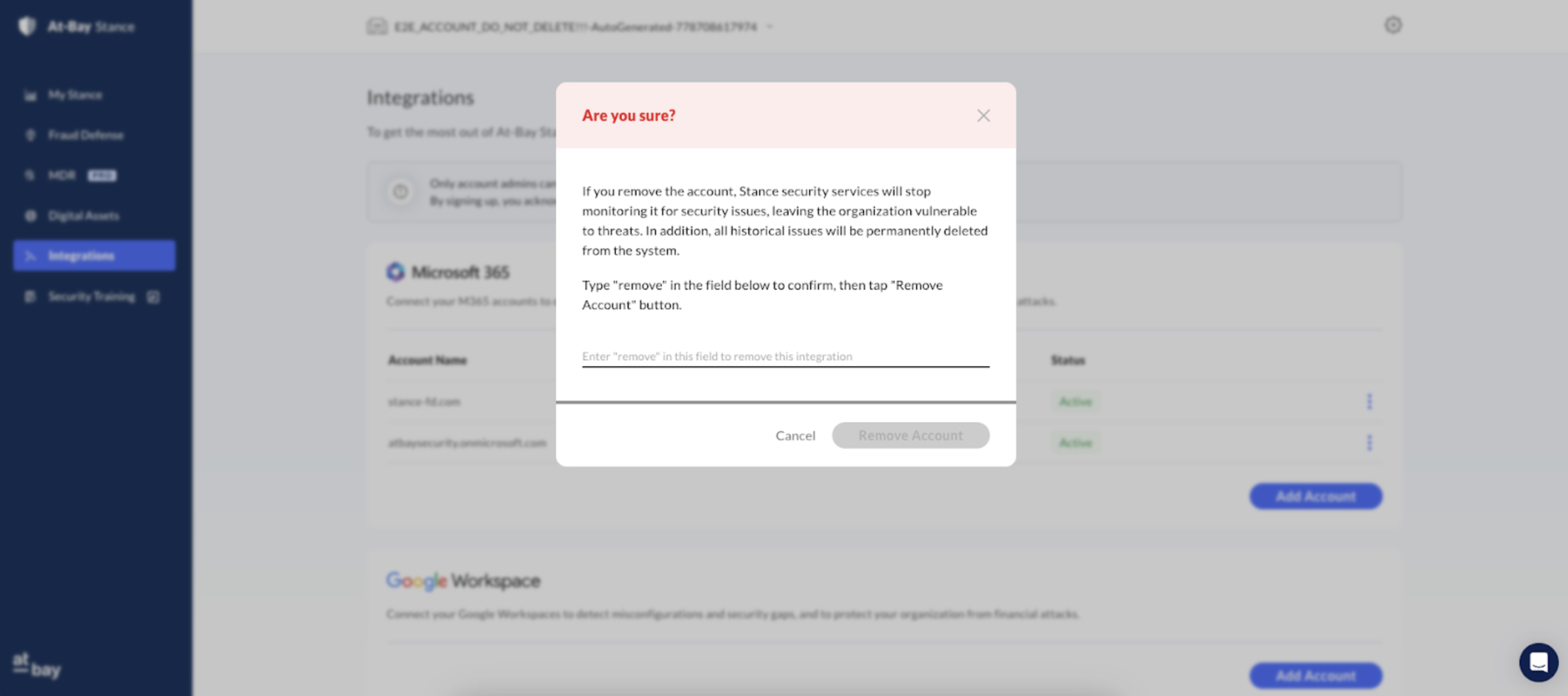
- Each account connection now includes an option to Remove Account, which deletes the connection and associated issues.
Fraud Defense Improvements
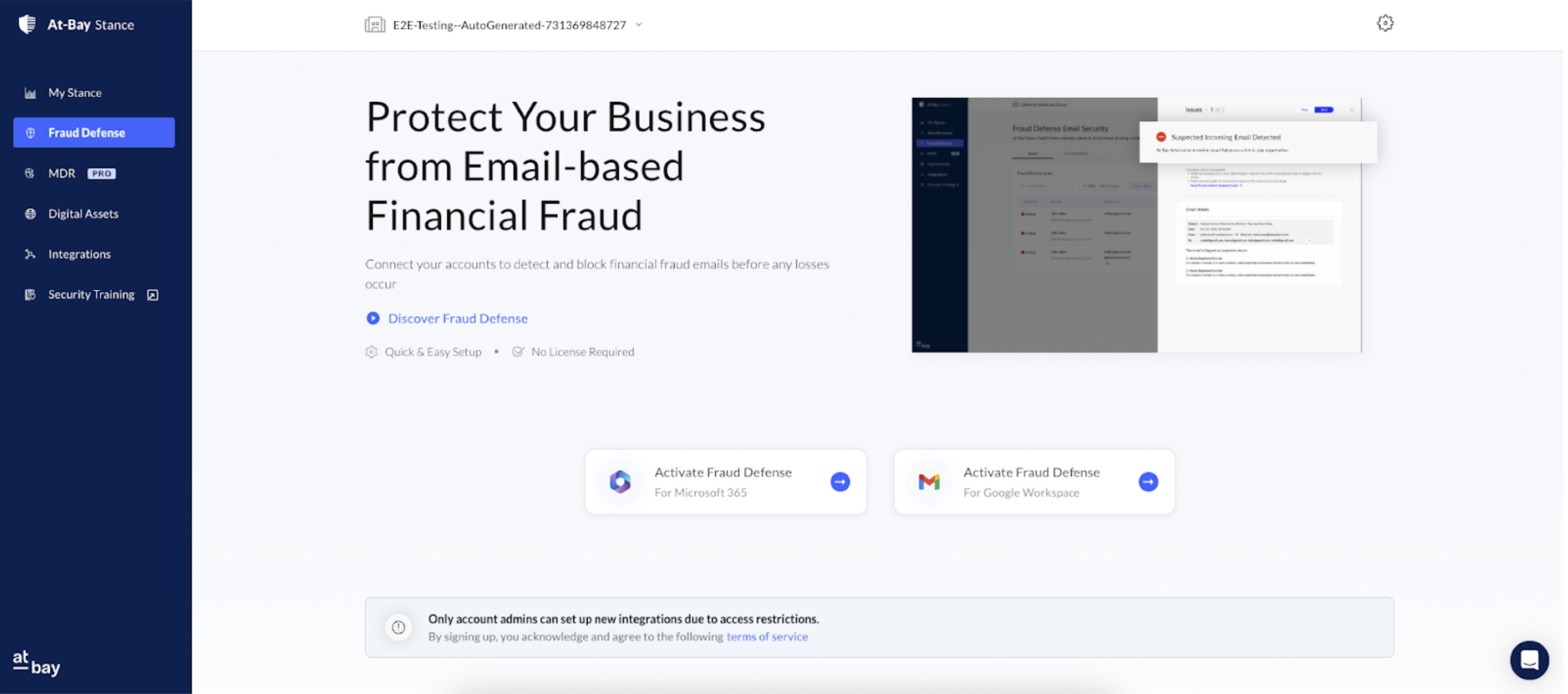
- The Fraud Defense page has been updated to allow direct and quick activation.
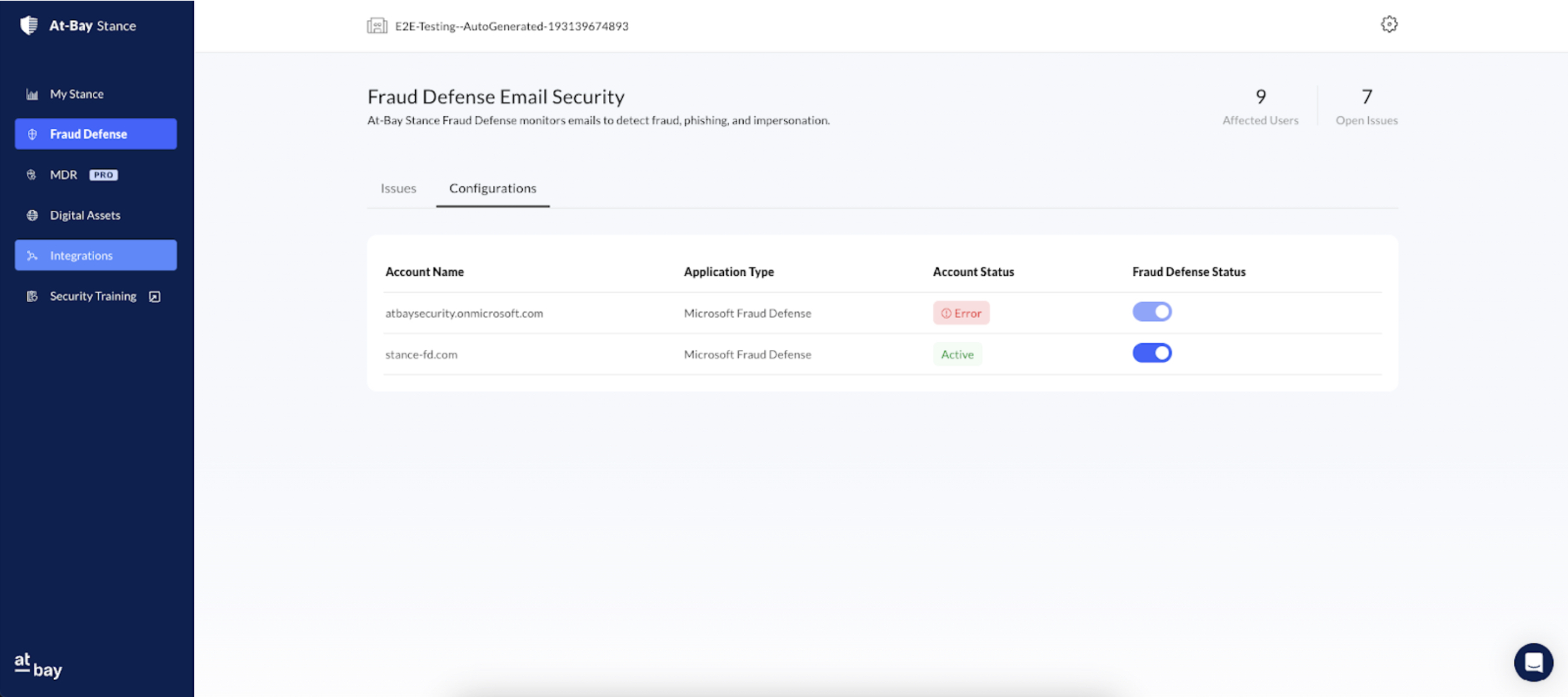
- The Configuration tab now shows connection status for all connected accounts, with enable/disable controls for the Fraud Defense service.
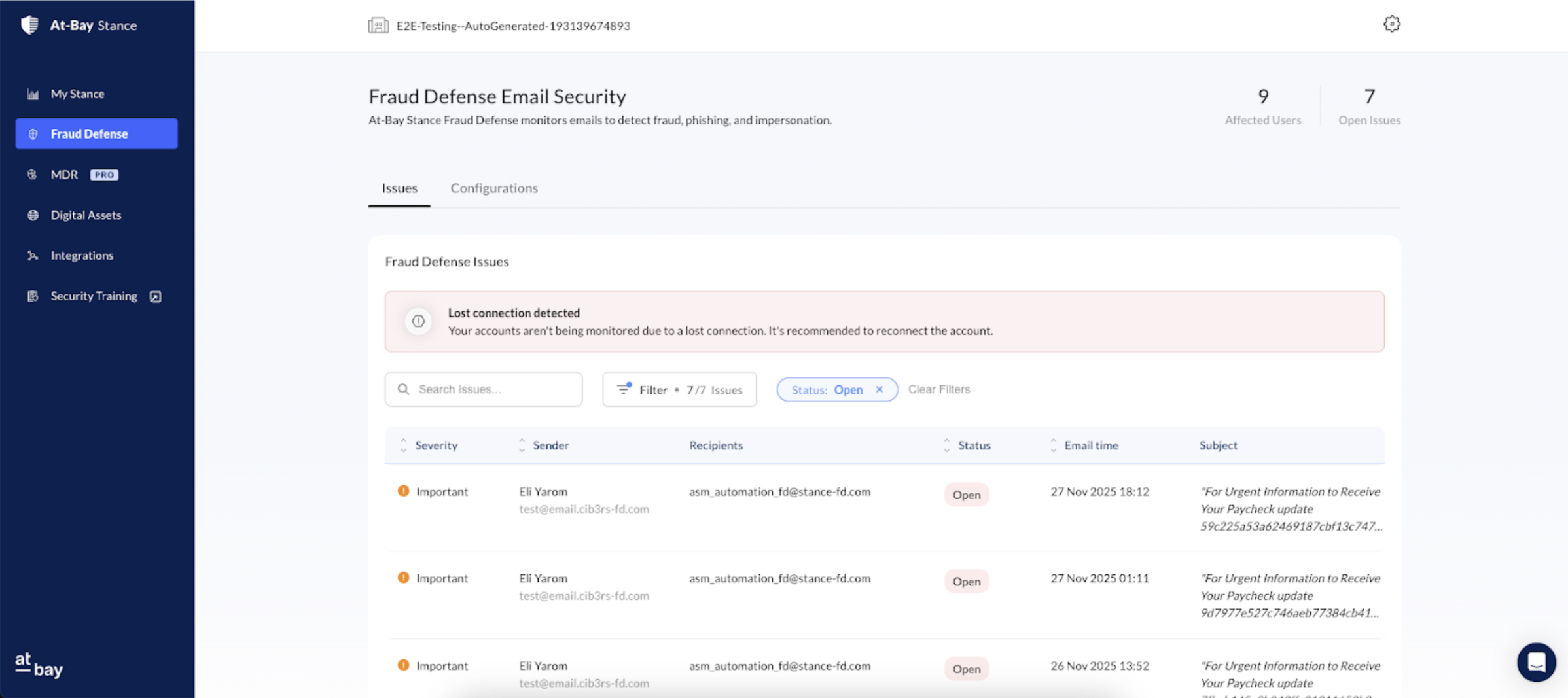
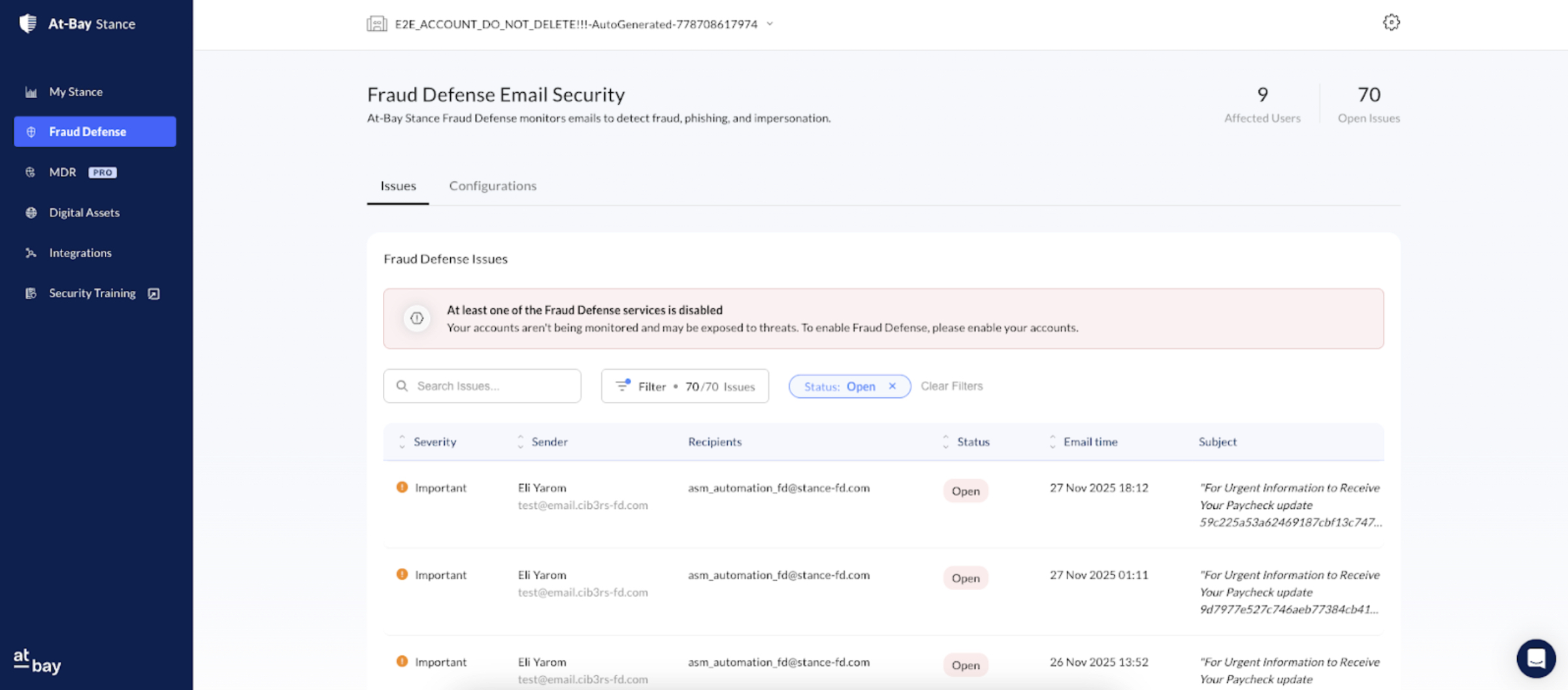
- The Issues tab now displays warning messages for cases of lost connection or disabled service.
My Stance Dashboard Updates
- Connection and service statuses are now clearly reflected with the following indicators:
- Activate – No accounts are currently connected.

- Activated – The service is enabled and active for all connected accounts.

- Partially Activated – The service is enabled, but has been disabled for some connected accounts.

- Disabled – The service is enabled, but has been disabled for all connected accounts.

- Connection Lost – One or more account connections have an error.